
Choosing a school is one of the biggest decisions a family makes, and in Karnataka today it almost always starts on a phone. Parents shortlist schools online, compare them in the evening, and share links on family WhatsApp groups before anyone visits a campus. So what parents look for in a school website is not a design question. It is a question of whether they find answers, quickly and honestly.
This guide lists what parents expect to find, in roughly the order they look for it, and what a school can do about each.
How parents actually use a school website
Before the checklist, it helps to picture the visitor:
- They are on a phone, often on mobile data, sometimes late at night.
- They are comparing three to six schools at once, switching between tabs.
- They are not always the parent. Grandparents, uncles and older siblings often help decide.
- They want facts first: admissions, fees, board, distance. The principal's message comes later.
- They will call or WhatsApp only once they have decided the school is a real option.
A school website that answers the first questions fast gets that call. One that hides them behind slideshows and long welcome speeches often does not.
1. Admissions information, up front
Admissions is the main reason most new parents visit. Put a clear Admissions link in the menu and on the home page, and include:
- Classes open for admission this year, and age criteria for each.
- Key dates: when forms open, interaction or test dates, and when results are shared.
- The step-by-step process, in plain words.
- Documents required, as a simple list.
- An online enquiry form, plus phone and WhatsApp for the admissions office.
When admissions are closed, say so, and let parents leave their details for next year instead of showing last year's dates.
2. Fees, explained honestly
Fees are the question parents most often hesitate to ask. A school that is open about them earns trust before the first visit.
- Publish the fee structure, or at least a clear range by class.
- Say what is included and what is extra: books, uniform, transport, meals, activities, trips.
- Show the payment schedule: annual, term-wise or in instalments.
- List the payment modes accepted, such as UPI, bank transfer or card.
If your school prefers to share exact fees only after an enquiry, say that plainly and tell parents how to get them. Silence makes parents assume the worst.
3. Board, curriculum and languages
Karnataka parents choose between the State syllabus, CBSE, ICSE, and international curricula such as IB and Cambridge. Make it obvious which one your school follows, and explain what that means in practice:
- Affiliation or registration details for your board.
- Classes offered, from pre-primary upward.
- How Kannada, English and other languages are taught, and which language options children can choose.
- Your approach to teaching, in a few honest sentences, not a page of buzzwords.
4. Transport routes and timings
For many families, transport decides the shortlist. A school in Mysuru, for example, might run buses through Vijayanagar, Kuvempunagar and Saraswathipuram. Parents want to see that clearly:
- A list or map of routes and the areas covered.
- Approximate pick-up and drop timings.
- How transport fees are charged, by distance or flat.
- Safety measures on buses, such as attendants, GPS tracking or speed governors, but only the ones you actually have.
5. Safety and well-being
Parents may not ask about safety on the phone, but they look for it on the website.
- Campus security: gate management, visitor entry, CCTV where used.
- Staff verification and the child protection policy.
- A medical room and first-aid arrangements.
- Fire safety and emergency procedures.
- How the school handles bullying and student well-being.
Describe what is in place now. Never list a facility you do not have.
6. Teachers and leadership
Parents want to know who will teach their child. Introduce the principal and the leadership team with real photos and a short message. If teachers are comfortable, show department heads with their qualifications and subjects. Real faces build more trust than stock photos of smiling students from another country.
7. Results and achievements
Share board results honestly and consistently each year, not only the topper's marks. Add co-curricular achievements in sports, arts, quizzes and science fairs, with dates. Parents notice when a results page stops at a year three years ago.
8. The mandatory disclosure page
CBSE-affiliated schools are required to publish a mandatory public disclosure on their website, covering details such as affiliation, infrastructure, staff and results in the format the board prescribes. Other boards and the state may have their own requirements. Keep this page linked from the menu or footer, make sure documents open properly on a phone, and update it whenever the details change.
9. Gallery, news and events
Photos of annual day, sports day, Kannada Rajyotsava celebrations, field trips and classroom activities show parents what a normal year at your school looks like. A few tips:
- Keep the gallery recent and dated.
- Get permission before publishing children's photos, and follow your own photo policy.
- Compress images so the page loads quickly on mobile data.
- Post short news updates through the term, not only at annual day.
Every website we build comes with the Creatin Web app, so the school office can add photos and news from a phone the same afternoon an event happens.
10. Contact and location
Make it easy to reach the school:
- Address with a Google Map and nearby landmarks.
- Office phone, WhatsApp and email, with office hours.
- A form to book a campus visit.
- Directions from the main roads or bus stops nearby.
Link the website to your Google Business Profile so parents who search for schools near them on Google Maps find the same details. Our Google Business Profile setup service can help with this.
Kannada and English
A school website in Karnataka should work for every family. Offer admissions, fees, transport and contact information in both Kannada and English at the very least. Write the Kannada naturally, the way parents speak, rather than running English text through a translator. Our article on Kannada websites for business covers how to plan bilingual content.
Speed on mobile
Many parents will open your site on a phone with an average data connection. Large banner sliders, heavy videos and big PDF brochures make the site slow, and parents leave. Keep images compressed, avoid autoplaying video, and make sure the menu, the admissions link and the call button work well on a small screen.
A quick checklist
| Section | What parents want to see |
|---|---|
| Admissions | Classes open, dates, process, documents, enquiry form |
| Fees | Structure or range, inclusions, schedule, payment modes |
| Board and curriculum | Board, affiliation, classes, languages |
| Transport | Routes, timings, fees, bus safety |
| Safety | Security, staff verification, child protection, medical care |
| People | Principal, leadership, teachers |
| Results | Board results by year, co-curricular achievements |
| Disclosure | Mandatory disclosure page, kept current |
| Life at school | Recent, dated gallery and news |
| Contact | Map, phone, WhatsApp, visit booking |
A real example
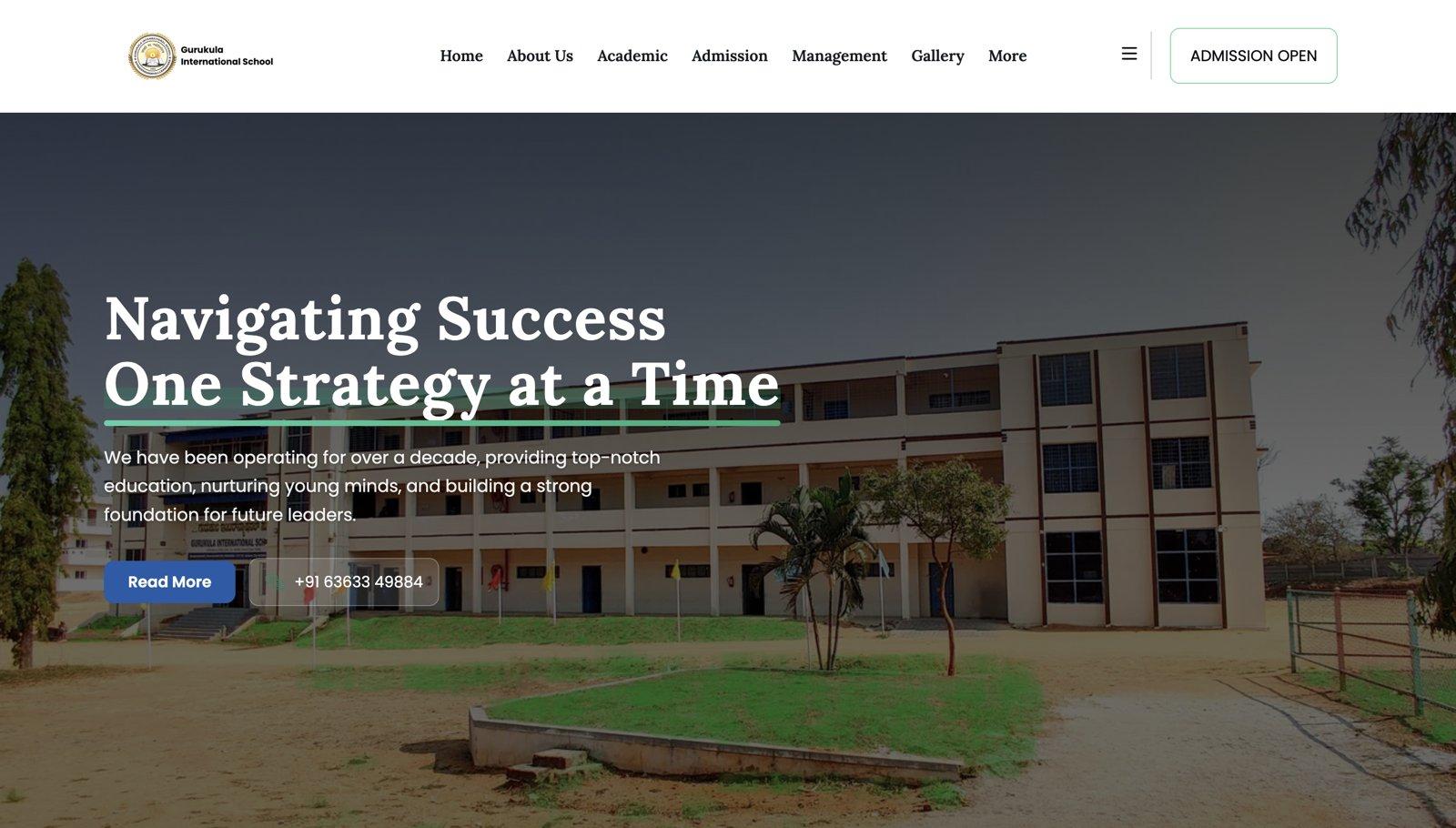
One school website we have built is for Gurukula International School (gurukulainternationalschool.in). Open it on your phone and look at how quickly you can find admissions and contact details; that is the test every school site should pass.
Planning your school's website
Our school website design page explains how we plan, build and look after websites for schools and colleges, including bilingual content and the tools the office uses to keep it current. Once enquiries start coming in, WhatsApp automation can send admission updates and fee reminders to parents.
We work with schools across Karnataka over calls, video calls and WhatsApp, and visit the campus when it helps. If your school is in or near Mysuru, our Mysuru website development page has more on how we work there; schools in Mandya or Hassan can work with us the same way.
If you are planning a new website or fixing an old one before the next admission season, book a free call. We will go through what parents need to see and send a fixed quote in writing before any work starts.
Frequently asked questions
Should a school publish its full fee structure on the website?
Publishing at least a clear fee range, what it includes and the payment schedule builds trust and saves the office many calls. Some schools share the detailed structure only after an enquiry. Either way, say clearly on the website how parents can get the exact fees.
What is the mandatory disclosure page on a school website?
CBSE-affiliated schools are required to publish a set of details on their website, such as affiliation, infrastructure, staff and results, in the format the board prescribes. Other boards have their own rules. Check your board's latest circular and keep the page current.
Should a school website be in Kannada as well as English?
For most schools in Karnataka, yes. Many parents and grandparents are more comfortable reading in Kannada. At minimum, the admissions, fees, transport and contact sections should be available in both languages.
How often should a school update its website?
Admissions dates, fees and transport routes should be checked before every academic year. News, events and the gallery should be updated at least once or twice a month during term, so parents can see the school is active.
Can parents apply for admission through the school website?
Yes. A simple online enquiry or pre-admission form can collect the child's name, class, current school and parent contact details, and send them straight to the admissions office and a WhatsApp number. Final admission usually still needs documents and a visit.